
On this page
Create item sprites
Sprite sources produce transparent 16×16 PNGs with deterministic pixel placement,
shading and grain. They can be used by general games or Minecraft item packs.
The current minecraft-item-v1 profile name selects the sprite compiler's rules;
it does not restrict where the resulting PNG may be used.
Build a complete sprite
Save this complete source as gem.ashfox in a folder without an ancestor workspace:
ashfox-model 1
sprite gem {
  profile = "minecraft-item-v1";
  canvas = (16px, 16px);
  palette { edge = #392b59; light = #bca3ef; }
  paint crystal {
    at = (5px, 4px);
    rows = ["..ee..", ".elle.", "elllle", ".elle.", "..ee.."];
    colors { e = edge; l = light; }
  }
}
npx --no-install ashfox build gem.ashfox --json
Use the actual export directory from the response. It contains gem.png.
In a configured project, register the file as an entry and add a PNG export as
shown in Project configuration.
Paint and compose
Rows have equal width. . leaves a pixel transparent; every other character
must have a color binding. Coordinates are integer pixels from the canvas's
top-left. Layers run in declaration order, so later paint can cover earlier work.
| Layer | Required settings | Purpose |
|---|---|---|
paint <id> |
at, rows, colors |
Place explicit colored pixels |
erase <id> |
at, rows |
Erase the marked pixels |
part <id> |
mask, material, at, shade, grain, patches |
Shade a reusable shape and add protected marks |
stamp <id> |
stamp, at, flip, colors |
Place a reusable symbol with bound colors |
Part masks use 1 and .. Materials define a three-color shadow/base/light ramp
or a generated ramp with a declared preset. The part's shade declares flat,
round or bevel, light: top_left and contrast 0–2. Bevel also requires its
axis. Grain uses mode: clustered-v1, amount 0–1 and an integer seed. Patches
have local at, rows, colors and protection width 0–2 and must remain inside
the part mask. Use patches = []; when there are none.
Start with apple source and its shared module for complete part, ramp, patch and reusable-shape examples. Keep both files. Standalone imports must stay below the entry directory. A configured project must declare every imported module. Use explicit relative paths; sprite package-name imports are not supported.
The canvas is fixed at 16×16 in the current profile. Out-of-bounds placement, unbound row characters, unknown settings and invalid shading parameters fail compilation. Enlarging a preview does not increase the delivered resolution.
Review pixels
npx --no-install ashfox capture gem.ashfox --scale 16 --background checker --output gem-preview.png
npx --no-install ashfox inspect gem.ashfox
Check the native image as well as the enlarged view. inspect returns a receipt
and pixel ownership evidence. On sources with shaded parts, use --stage silhouette, --stage shade or --stage grain to inspect the construction.
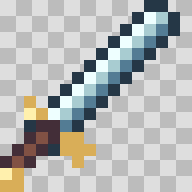
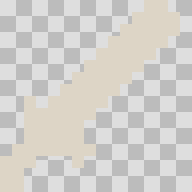
See observation controls for PNG input, transparency and memory output.
For a general engine, bind the PNG export in game assets and choose sprite filtering and pixels per unit. For Minecraft, bind it to an item resource ID in Minecraft packs.