
On this page
Animate a model
Tell your agent what the movement should communicate: “Add a curious look around, a slow wing stretch, and a quick greeting. Keep the feet planted.” Ask for named clips so you can choose each movement independently.
Use inspect to find clip names, capture --clip NAME --time SECONDS to inspect
a pose, and replay --clip NAME to watch a full cycle. Omit --clip for rest pose.
For example, from the starter folder:
npx --no-install ashfox replay fox.ashfox --clip tail_wag --output tail-wag.gif
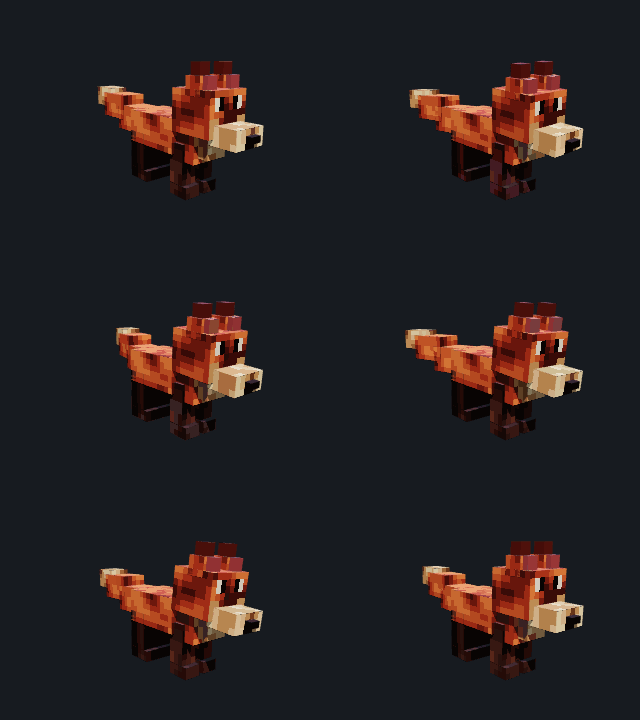
The sections below explain the source your agent writes. A snippet belongs inside an existing source file; the complete starting example is linked at the end of this guide.
Place the joints first
Skeleton binds use parent-origin in the parent joint frame. A root joint
uses model coordinates. For an unrotated torso at (0u, 13u, 0u), a shoulder
at model (6.5u, 19.5u, 0u) needs parent-origin = (6.5u, 6.5u, 0u).
The parent rotates or reflects this offset together with its children.
The old skeleton property origin is rejected instead of being guessed.
Keep the weapon beneath the hand's joint in the rig hierarchy and put its
origin at the grip. Preview the whole motion to check the direction of each
rotation, the hand contact, and planted feet.
Create a motion
Declare a motion for the rig contract whose joints it animates. The rig must allow every channel you use. Rotation and scale are the supported motion channels.
Snippet — one motion declaration:
export motion idle for CreatureRig {
  duration = 2s;
  fps = 20;
  loop = loop;
  rest-relative = true;
  track head.rotation {
    key 0s = (0deg, 0deg, 0deg) linear;
    key 1s = (0deg, 3deg, 0deg) linear;
    key 2s = (0deg, 0deg, 0deg) linear;
  }
}
duration must be positive. fps is an integer from 1 through 240.
rest-relative = true is required for reusable rig motions. Key times must be
inside the duration and strictly increasing.
Rotation and scale tracks
The track target is a joint name followed by .rotation or .scale.
Snippet — rotation and scale:
track wing_left.rotation {
  key 0s = (0deg, 0deg, 0deg) catmullrom;
  key 0.8s = (0deg, 0deg, -18deg) catmullrom;
  key 1.6s = (0deg, 0deg, 0deg) catmullrom;
}

track root.scale {
  key 0s = (1ratio, 1ratio, 1ratio) step;
  key 0.8s = (1.1ratio, 1ratio, 1ratio) linear;
  key 1.6s = (1ratio, 1ratio, 1ratio) linear;
}
Rotation values are three degree values. Scale values are three positive ratio
values, and the target joint must declare scale in its channels list. A
motion cannot author position or IK tracks, so use the skeleton and geometry
for rest placement.
Each key must name its interpolation. linear blends the current key to the
next, step holds the current key until the next key, and catmullrom creates
a smooth curve from the surrounding keys. The interpolation word belongs
after the value, before the semicolon.
Set loop and duration behavior
Choose one of the three accepted loop values:
| Source value | Playback behavior |
|---|---|
once |
play through the duration and stop |
loop |
wrap back to the beginning and repeat |
hold_on_last_frame |
play through the duration and hold the final pose |
Keep the first and last keys intentional: for a looping idle, matching the opening and closing pose makes the wrap look continuous.
Assign and select motions
Declare a motion in a reusable module when several assets share it, then import that module with an alias. Assign each motion explicitly in the asset assembly.
Snippet — import and assign more than one motion:
import "./animation.ashfox" as animation;

export asset griffin {
  settings { density = 16; forward = north; }
  skeleton = animation.GriffinSkeleton;
  motion = animation.idle;
  motion = animation.look_around;
  motion = animation.wing_display;
  motion = animation.wing_flap;
  motion = animation.greeting;
  motion = animation.alert;
  // component uses and surface bindings continue here
}
The asset can select multiple different motions, but a motion may be assigned only once and every assigned motion must target the selected skeleton's rig. The component's rig port must bind to that same rig contract too.
Use inspect to find clip names and durations, then replay --clip NAME to
watch a clip. Inspect a specific pose with capture --clip NAME --time SECONDS.
Omit --clip to capture the rest pose.
Griffin's six clips
The checked Griffin example exports these six motion names from its
animation module. They are ordinary source declarations, so copy the names
with the module alias when assigning them:
| Clip | Movement | Duration |
|---|---|---|
idle |
Gentle resting movement | 3s |
look_around |
Turn the head to inspect both sides | 4s |
wing_display |
Raise the wings and hold the pose | 3.6s |
wing_flap |
Quick paired wing beats | 1.6s |
greeting |
Nod the head and wag the tail | 3s |
alert |
React and turn toward a disturbance | 2.4s |
Use the Griffin source and its
animation module together.
Download the game project for the complete Griffin
source graph. Export models/workbench/main.ashfox from the extracted folder.
All six are rest-relative. Their track targets are the Griffin rig's semantic
joints, including head, wing_left, wing_right, and tail.
Review every motion
After a source change, select each assigned clip and watch one complete cycle. Check the opening and closing pose, the largest movement, and the motion at native gameplay scale. Inspect both sides of the asset so mirrored parts stay attached, and scrub the timeline to catch keys that create a sudden jump.
For a scale track, check that the part stays visible and that all three scale components remain positive. For rotation, check pivots and attachments at the largest angle. If the source validates but the motion looks wrong, describe the visible problem and revise the owning track, joint binding, or rest pose; validation alone does not certify the animation's visual quality.
Complete source
The complete source in the language reference is a small animated cube with a rig, skeleton, surface, component, motion, and asset assembly. Use it when you need a standalone starting file. The snippets on this page are motion fragments and intentionally omit the surrounding surface and component declarations.